OpenArt.ai is a creative platform that combines AI-generated images, videos, characters, and audio tools in one place. With a 60% discount running until the end of January, it currently offers features like AI music videos, explainer videos, character vlogs, and near-realistic avatars using models such as Kling, Sora, and others. It’s not perfect—but it’s flexible, playful, and close enough to feel seriously impressive.
Table of Contents
OpenArt.ai: A Creative Platform Built for Making Things
OpenArt.ai doesn’t try to impress with theory or technical jargon. It’s designed for people who want to create—quickly, visually, and without getting lost in how the technology works behind the scenes.
Once inside the platform, the focus is clear: images, characters, video, audio, and storytelling tools that are meant to be used together. You’re encouraged to experiment, remix, and iterate, rather than aim for perfection on the first try.
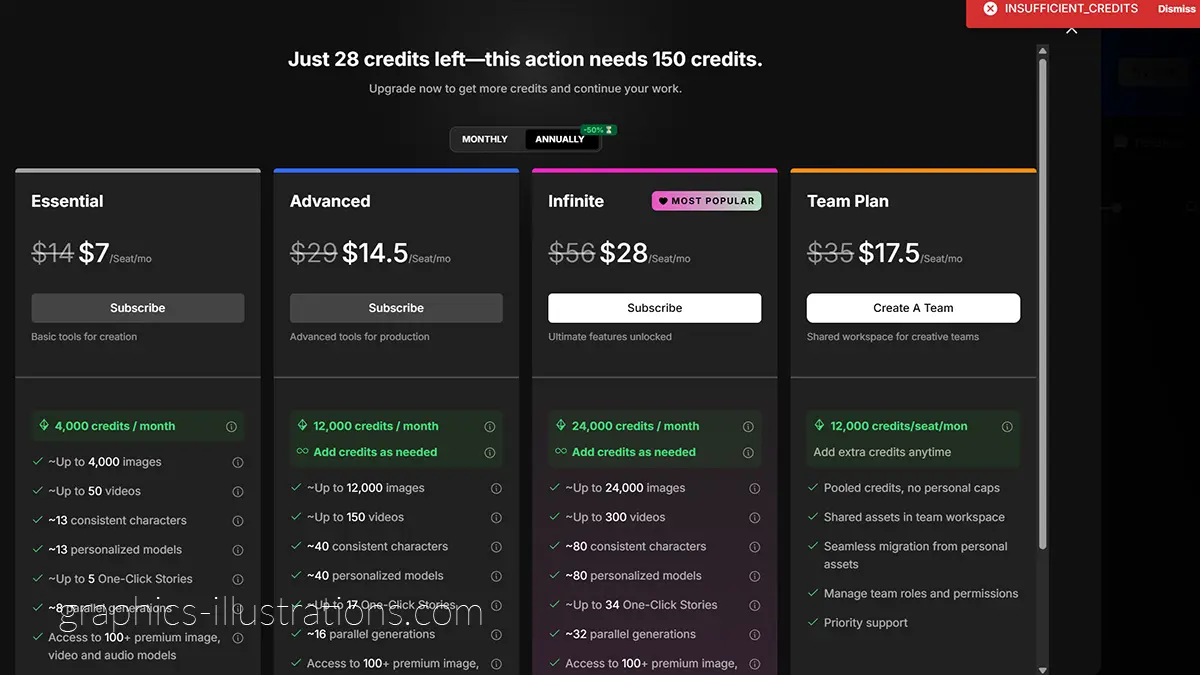
Right now, that experience is made even more tempting by a 60% discount running until the end of January. Yes, I noticed. And I am actively negotiating with myself not to subscribe to yet another creative tool this month.
Yes. Sixty. Percent.
Yes. I noticed.
Yes. I am actively negotiating with myself not to subscribe to yet another AI tool this month.
But discounts aside, OpenArt.ai makes a solid case on its own. The platform is clearly aimed at creatives who want to make things—illustrations, avatars, videos, and visual stories—without reading white papers or configuring complex workflows.
It feels practical, playful, and refreshingly focused on output rather than explanations.
What’s New on OpenArt.ai (And Why It’s Tempting)
OpenArt.ai may have started as an AI image platform, but calling it “just a video tool” today would be wildly unfair. It has quietly evolved into a multi-format creative studio, where images, video, characters, audio, and even story-building live under one roof.
Which is great news for creatives—and mildly alarming for anyone who already subscribes to too many AI tools.
Beyond video generation, OpenArt.ai now offers a surprisingly broad set of creative features:
- AI image generation (illustration, concept art, styles, experiments)
- Character creation (with consistent looks across images and videos)
- Character vlogs and talking avatars
- AI music videos
- Explainer videos
- Image-to-video generation
- Audio tools for voice and sound
- Assets & story tools (including beta features for narrative building)
- Access to multiple AI models such as Kling, Banana, Sora, Haliluo, and others
In other words, it’s less a single-purpose tool and more a creative control panel. You can move from still images to animated scenes, from characters to voice, from visuals to story—without constantly jumping between platforms.
And yes, when it comes to video and avatars, the results look about 99% real.
Not 100%.
I refuse to say 100%.
But close enough that your frenemies will absolutely wonder how you suddenly managed to appear in five expensive locations, speaking confidently on camera, with suspiciously perfect lighting.
(Spoiler: you didn’t.)
And When It Comes to Video, It’s Not Just “Generate and Pray”
OpenArt.ai doesn’t treat video as a single magic button. Instead, it breaks the process down into very practical, very controllable steps, which is exactly what makes it interesting for creators who like to tweak, test, and iterate.
Inside the video section, you’re not locked into one workflow. You can create and edit videos in multiple ways, depending on what you already have and what you want to achieve:
- Text to Video – turn a written idea or script directly into a video
- Image to Video – animate a still image into motion
- Elements to Video – combine characters, backgrounds, and assets into scenes
- Video to Video – transform or remix existing footage
Once the video exists, OpenArt.ai leans hard into post-production tools that are usually scattered across several platforms:
- Magic effects for visual enhancement
- Sound effects added directly inside the editor
- Video upscaling to improve quality
- Lip-sync video for talking avatars
- Motion-sync video to match movement and rhythm
- Replace character without rebuilding the whole scene
- Restyle video to change the look and feel
- Extend video to make scenes longer instead of starting over
This is the part that quietly changes how you work.
Instead of generating ten versions from scratch and hoping one looks good, you can refine a single video step by step. Swap the character. Change the style. Extend the scene. Sync the lips. Improve the motion. Fix the audio.
It feels less like “AI roulette” and more like an actual creative workflow.
And yes — the results still land around 99% realism.
Not 100%.
Still not saying 100%.
But definitely real enough that people will assume there was a camera, a location, and a lot more effort involved than there actually was.
Images, Characters, Audio — OpenArt.ai Is a Full Creative Stack
What becomes obvious very quickly inside OpenArt.ai is that video is only one part of the ecosystem. The platform is structured more like a creative operating system than a single-purpose generator, with dedicated sections for images, characters, and audio that all talk to each other.
On the image side, OpenArt.ai goes far beyond simple text-to-image generation. You can create and edit images, upscale them, control camera angles, improve face realism, swap elements, and even train your own model for consistent results. There’s also a “chat to edit” approach, which makes image refinement feel more like a conversation than a technical process. This is particularly useful if you care about visual continuity across projects.
The character system deserves its own mention. You can create characters, generate visuals for them, reuse them across projects, lip-sync them, and even explore community-created characters. This is where OpenArt.ai quietly solves one of the biggest AI problems: keeping a character looking like the same person across images and videos. For anyone working on storytelling, branding, or personal avatars, this matters a lot.
Then there’s audio, which is surprisingly powerful. OpenArt.ai includes voice-over creation, voice cloning, and voice changing, with fine-grained controls for speed, stability, and similarity. You can choose between multiple speech models, including multilingual options that support a wide range of languages. This makes it possible to narrate videos, create calm or energetic voices, or even produce content in languages you don’t personally speak fluently.
And this is where things quietly click together.
You can generate an image, turn it into a character, animate it into a video, sync the lips, add a multilingual voice-over, adjust motion and style, and export something that feels cohesive—without jumping between five different tools.
That’s the real temptation here.
Not just “look what AI can do,” but “look how much friction disappears when everything lives in one place.”
Is it perfect? No.
Is it 100% real? Still no.
But it’s close enough, flexible enough, and fun enough that you start thinking less about the tool and more about what you want to create.
And that’s usually the moment when another subscription starts to feel… justified.
OpenArt.ai also fits neatly into the wider ecosystem of tools I already use—alongside other platforms I’ve tested and rely on, which I’ve collected in my article Best AI Tools for Creative Bloggers: My Favorite Digital Sidekicks.
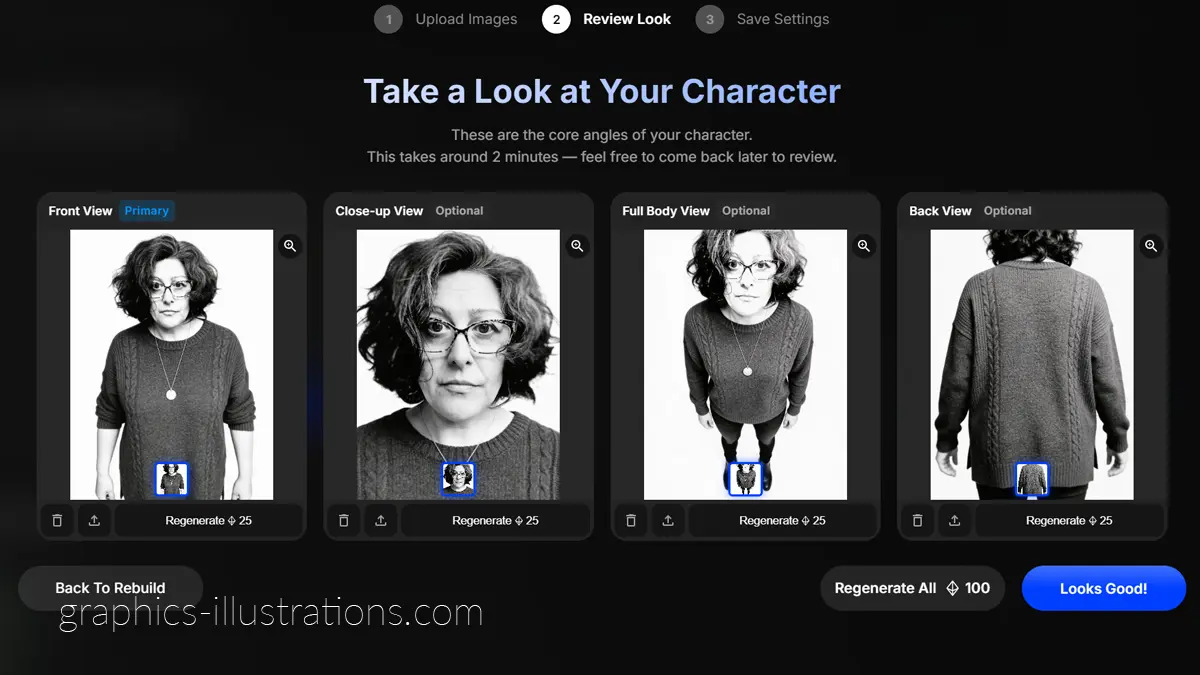
I Even Created My Own Avatar (Yes, Including the Sweater… and the Medallion)
I did, of course, create my own avatar—because once that option exists, resistance is futile. The resemblance is genuinely impressive, especially across different angles and full-body views. Would I personally choose this exact pullover if I had infinite control over my digital wardrobe? Probably not. And no, I would definitely not wear this medallion.
But here’s the honest part: I ran out of credits before I could change my outfit.
And honestly, that in itself says something useful about the platform.
The avatar creation isn’t just a single lucky image—it’s built from multiple views, angles, and consistency checks, which is why it actually holds together as a character. You can refine things, regenerate looks, and tweak details… as long as you still have credits left. Lesson learned: plan your outfit early, or accept that your digital self might end up wearing a sweater and a medallion you did not emotionally consent to.
Still, accessories aside, the result feels coherent, recognizable, and very much “me”—which is kind of the whole point.
I tend to treat AI tools less like machines and more like collaborators—which is probably why I even say “please” when prompting them, something I wrote about in Why I Say Please to AI (and Why You Should Too).
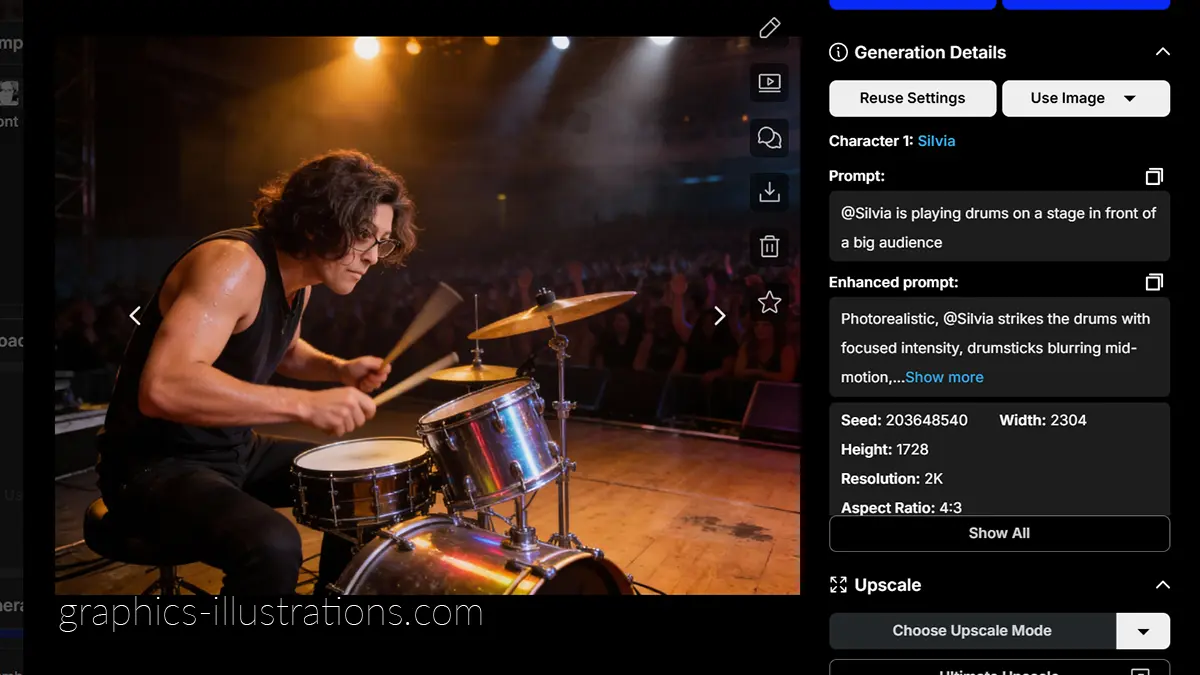
When AI Assumes Drummers Have Biceps (A Small Gender Plot Twist)
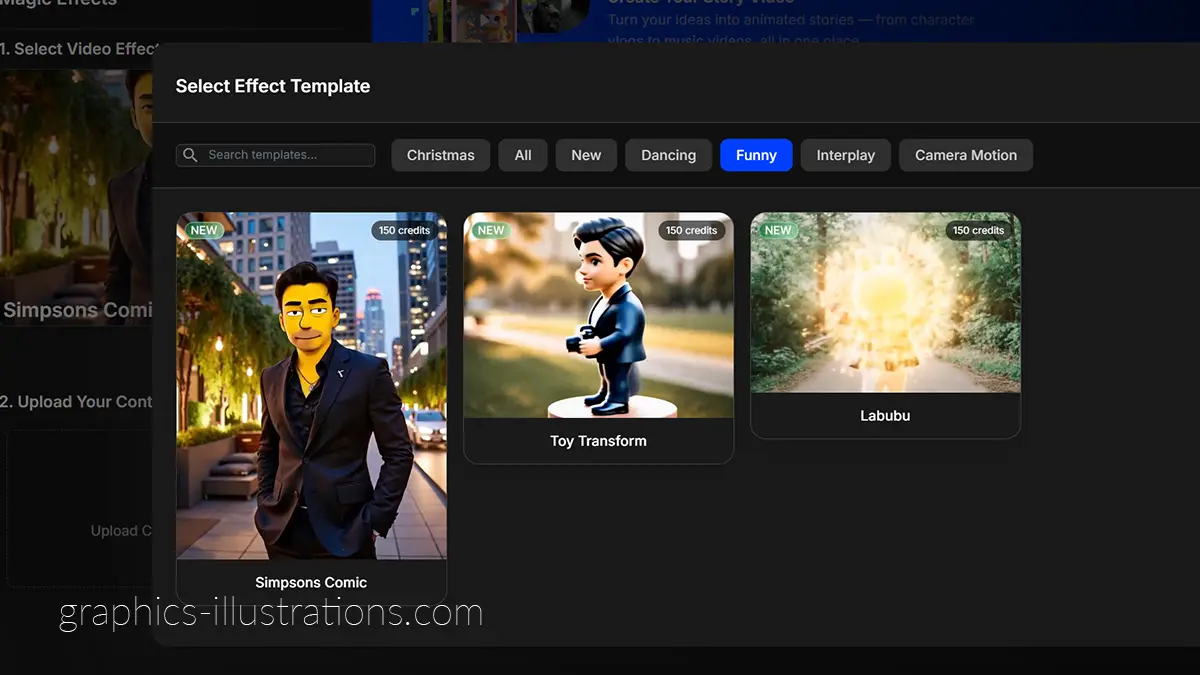
Originally, I wanted to create a video of myself transforming into a Simpsons-style character. That didn’t quite work out, so I went for something simpler: a single image of me playing drums on a stage in front of a big audience.
Simple. Harmless. Right?
Well. Apparently, I forgot to explicitly mention one tiny detail in the prompt: that I am a female.
Or maybe the app just assumes that drummers are male by default. Hard to say. Either way, the result is… impressive. There I am, confidently drumming away, with muscles that suggest years of intense upper-body training and a lifestyle that includes lifting heavy things for fun.
So yes — meet me: male drummer, oh boy. Those arms. Those shoulders. Respect.
Jokes aside, this little mishap is actually a great reminder of how AI works: it fills in gaps based on patterns and assumptions. If you want something specific—gender, body type, age, vibe—you really do need to spell it out. Otherwise, AI will happily make decisions for you… and sometimes give you biceps you never asked for.
Still, I can’t even be mad. The image looks great. And honestly? I might keep him.
What I’d Do With a $120 Monthly Subscription (Now Half Price!)
If I did give in (and let’s be honest, I’m thinking about it), this is how I’d use OpenArt.ai:
- Create my own avatar — not a “realistic me,” but the me I’d like to see
- Make videos about my interests and ideas and share them without needing to be on camera
- Use those videos across social media, blogs, and affiliate content
- Explain openly what I used, why I used it, and how others can do the same
- Basically: have fun, create, experiment, and stop overthinking everything
For introverts, overthinkers, and creative people who struggle with visibility—this kind of tool is oddly liberating.
And while AI has expanded what’s possible, I still love mixing it with classic design elements—like textures and patterns from my pre-AI days, including these free pastel damask backgrounds I still use in creative projects.
The Secret Superpower: Languages
And honestly?
The biggest temptation for me isn’t even video quality.
It’s language.
With AI avatars and voice models, I could suddenly:
- speak multiple languages
- test content ideas internationally
- communicate without waiting years to master pronunciation
Do I still want to learn languages properly? Of course.
But sometimes… doing things the easy way is also allowed
Practical, Playful — and Surprisingly Capable
What matters in the end isn’t how you arrived at OpenArt.ai, but what you can actually do once you’re there.
Right now, the platform offers a lot of creative freedom in one place: images, characters, video, audio, and storytelling tools that work together instead of against each other. Add to that a 60% discount running until the end of January, and it becomes a genuinely tempting option—especially for creatives who like to experiment without overengineering everything.
OpenArt.ai doesn’t try to be perfect. It doesn’t promise magic. What it offers instead is something more useful: a playful, flexible environment where ideas turn into visuals, videos, and characters quickly enough to stay fun.
And honestly?
That’s usually when creativity works best.